


New Role & Role Names 🧐
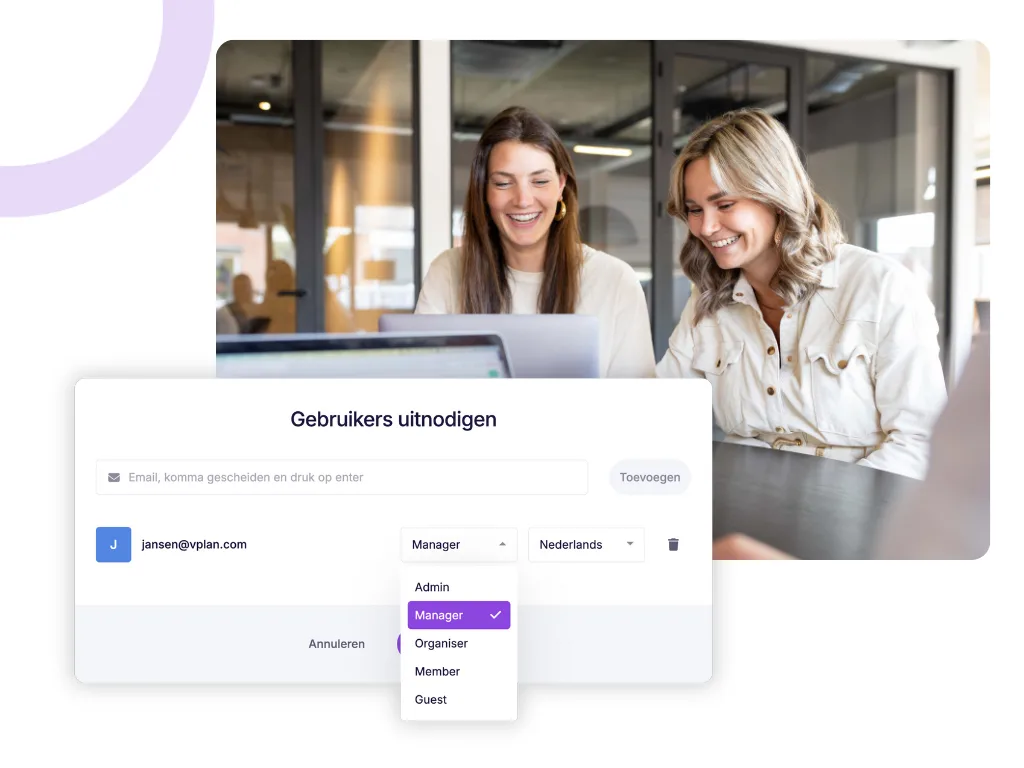
We’ve revamped the roles in vPlan and introduced an additional role! These updates provide more flexibility for team roles. From now on, we work with the following roles:
Admin
(previously Administrator)
Holds full permissions, from planning to configuring settings, managing users, and the subscription.
Manager
(new! ⚡️)
The Manager role offers almost the same planning capabilities as the Admin, but with a few key restrictions. A Manager has:
- Full planning rights: A Manager can plan and manage everything, including boards, resources, and activities.
- Limited access to settings: A Manager cannot make changes to subscriptions, integrations, or developer settings.
Organiser
(previously Planner)
Focuses entirely on planning, such as scheduling, modifying, and assigning tasks. No permissions to adjust configurations.
Member
(previously Employee)
Can view and execute the planning, edit statuses and additional fields, and register time. No planning or configuration rights.
Guest
(previously Guest)
Can only view the planning, comment, and follow cards. Ideal for stakeholders who need visibility without influencing the planning.
Easily Drag Cards in List View 🏗️
A handy improvement: you can now drag cards in the list view just like in the calendar view. Move cards to different phases, resources, or statuses effortlessly. This makes filling gaps based on availability easier than ever.
Want to move a card to another phase? You can also do this directly within the card by clicking the lightning icon. 👌
Customizable Label Order 🏷️
A highly requested feature is here: you can now customize the order of labels in the settings! Decide which labels appear first and arrange them to your preference.
3 New Automations to Simplify Your Work 🤖
These new automations make daily tasks even smoother:
When an activity is added, modified, or removed from a sub-card, adjust the estimate/remaining time on the main card.
→ All changes to sub-card activities are automatically reflected in the main card, keeping activity estimates up to date without manual updates.
When a card is created in phase “X,” duplicate the collection to the backlog of board “X.”
→ Automatically create a copy of a card in a specific phase and place it in the backlog of another board. This enables seamless task sharing across boards without extra work.
When custom field date “X” with status “X” and start/end date is today, notify users or followers.
→ Have a custom field with upcoming deadlines? Users will automatically receive a notification about open tasks, ensuring nothing is overlooked.
When custom field value “X” is set, add or remove label “X” to/from the card or collection.
→ For example, if you use a custom field for a checkbox linked to a project manager, a label can be added or removed automatically. This makes filtering and identifying cards at a glance much easier.
Got other ideas or wishes for vPlan? Share them in our feature base! Your feature could be added to the roadmap soon. 🚀
Try it in your own vPlan
Every new feature is in the free trial.



