We’ve got another great update for you! This release is all about giving you more control over your figures and reducing manual work in your planning. See how your collection is tracking against budget in a single tab, let automations update planned time for you, and create sharper-looking exports featuring your own logo. Once again, we’ve made plenty of improvements based on your feedback.
💰 See how your collection is tracking against budget at a glance
Does one of your projects consist of dozens of cards? In vPlan, you can group them into a collection. From now on, you’ll find a new Budget tab within each collection.
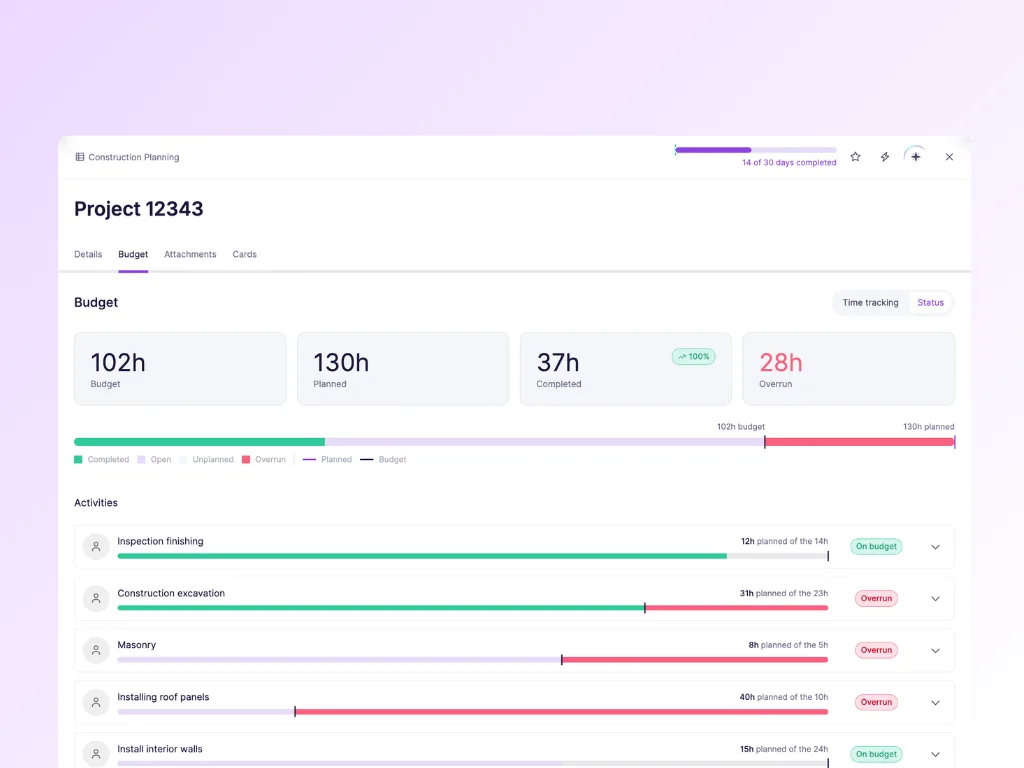
This tab gives you a complete overview of budget progress across your entire collection. You decide how you want to measure that progress:
- Based on status. Progress follows the status of your cards. Useful if you work in stages and want to see how much has been completed.
- Based on time tracking. Progress is based on the hours actually logged. Useful if you want to know what a project is really costing you.
This lets you see at a glance whether you’re still within budget or whether it’s time to make adjustments. And you can go beyond collection level: the tab shows progress right down to activity level, so you can immediately see where your budget is being used up. No more exporting data to Excel just to find the answer.
⚡️ Automations that update your planned time
Plans change. Dates move, people are added or removed. Until now, you had to manually review the planned time for your activities afterwards. Not anymore.
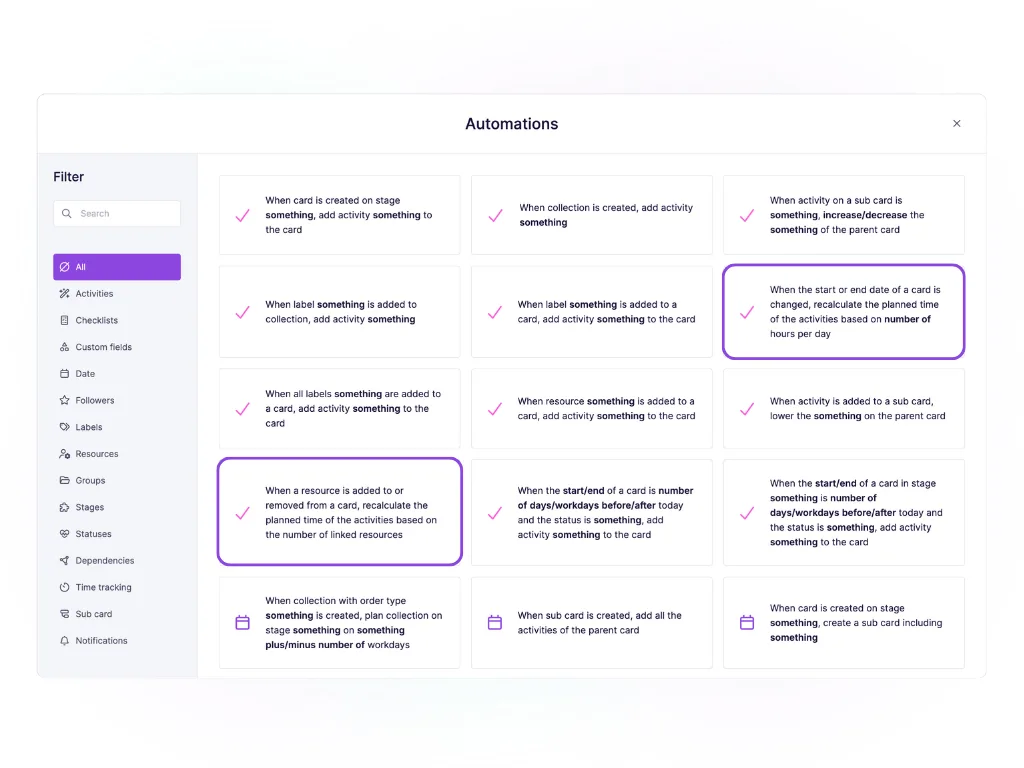
We’ve added two new automations:
- When a card’s start or end date changes, the planned time for its activities is automatically recalculated based on a fixed number of hours per day. For example, you schedule a card for 8 hours on one day. Extend the card by two days and the automation updates the planned time to 24 hours, as the card now spans three days.
- When a resource is added to or removed from a card, the planned time for its activities is automatically recalculated based on the linked resources. Say a card has two resources and 16 hours of planned time. Add a third resource and this becomes 24 hours. Remove one resource and it becomes 8 hours.
The result: your capacity planning stays accurate without anyone having to update it manually.
🔒 Permissions for individual custom fields
Custom fields are powerful, but not every field should be editable by everyone. Think of an hourly rate, project number or a field imported from your ERP system.
You can now specify which role is allowed to edit each custom field. Everyone can still see the information they need, but only the right people can change it. Fewer mistakes and more confidence in your data.
Permissions for individual custom fields are available from the Professional plan onwards.
Renewed timeline export, featuring your own logo
We’ve completely revamped the export of your timeline. The two biggest improvements:
- Larger plans can now be printed properly. Even extensive plans remain easy to read on paper.
- Better contrast. The export has a cleaner, sharper appearance, making colours, bars and text easier to distinguish.
You can also now upload a logo as part of your subscription: one for your environment profile and one for your timeline export. Putting your plan up on the wall or sending it to a client or subcontractor? It will feature your branding, not ours.
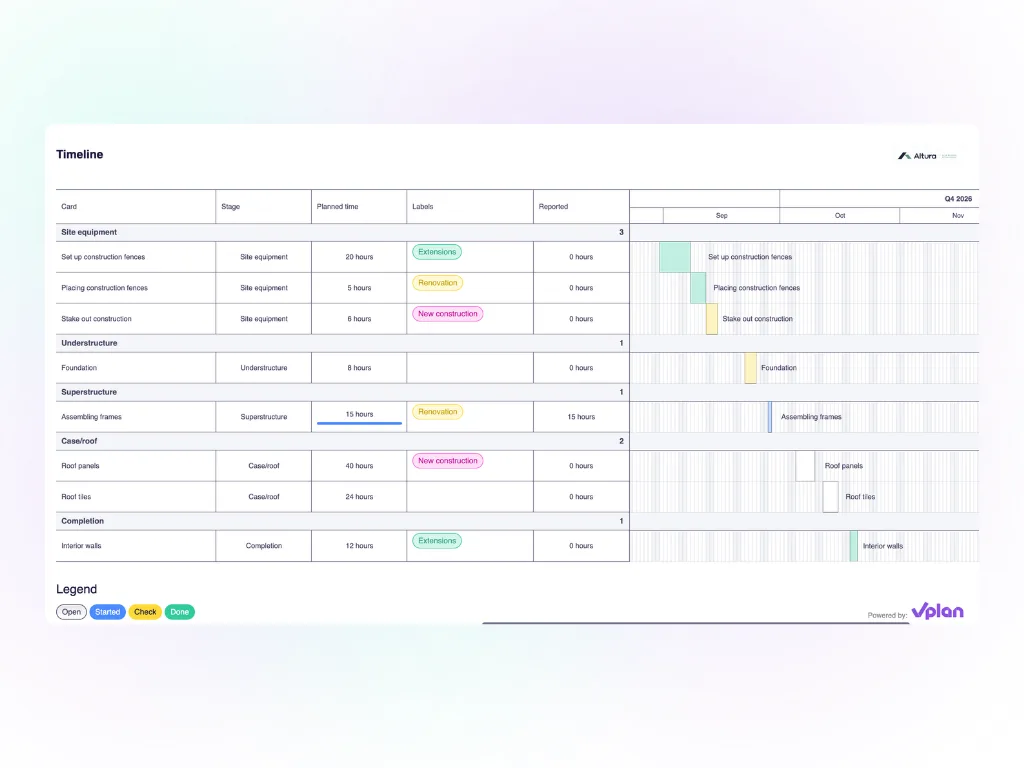
Timeline exports are available from the Professional plan onwards.
👀 Manage shared views more easily
We've made managing views a lot clearer. The plus icon at the top of your board has been replaced by a pencil icon, which opens a more extensive menu.
From this menu, you can now:
- Create new views and add them directly to your board;
- View and manage all your own views under My views;
- Find all views that others have shared with you in the View library and easily add them to your board.
You can also share views with others without having to display them on your own board. Simply disable a shared view for yourself if you don't need to see it.
As an Admin, you can now manage all shared views, even if you didn't create them yourself. Previously, only the owner of a view could manage it, which could cause problems if that person was no longer part of the organisation.
This give you a clearer overview of your own and shared views in one place, while making it easier to decide which views you want to display on your board.
Get started
All updates are ready to use in your environment. Log in and take a look!
Have an idea for a future release? Let us know via our community. A large part of this update came directly from your suggestions.
Try it in your own vPlan
Every new feature is in the free trial.