


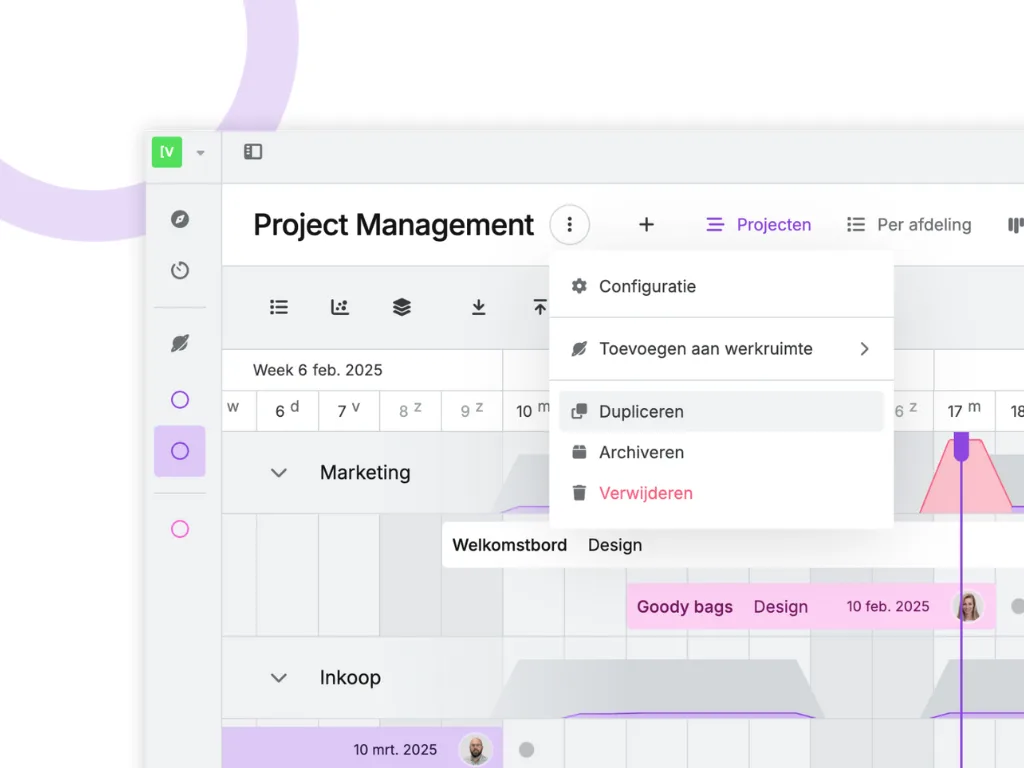
📝 Duplicating Planning Boards
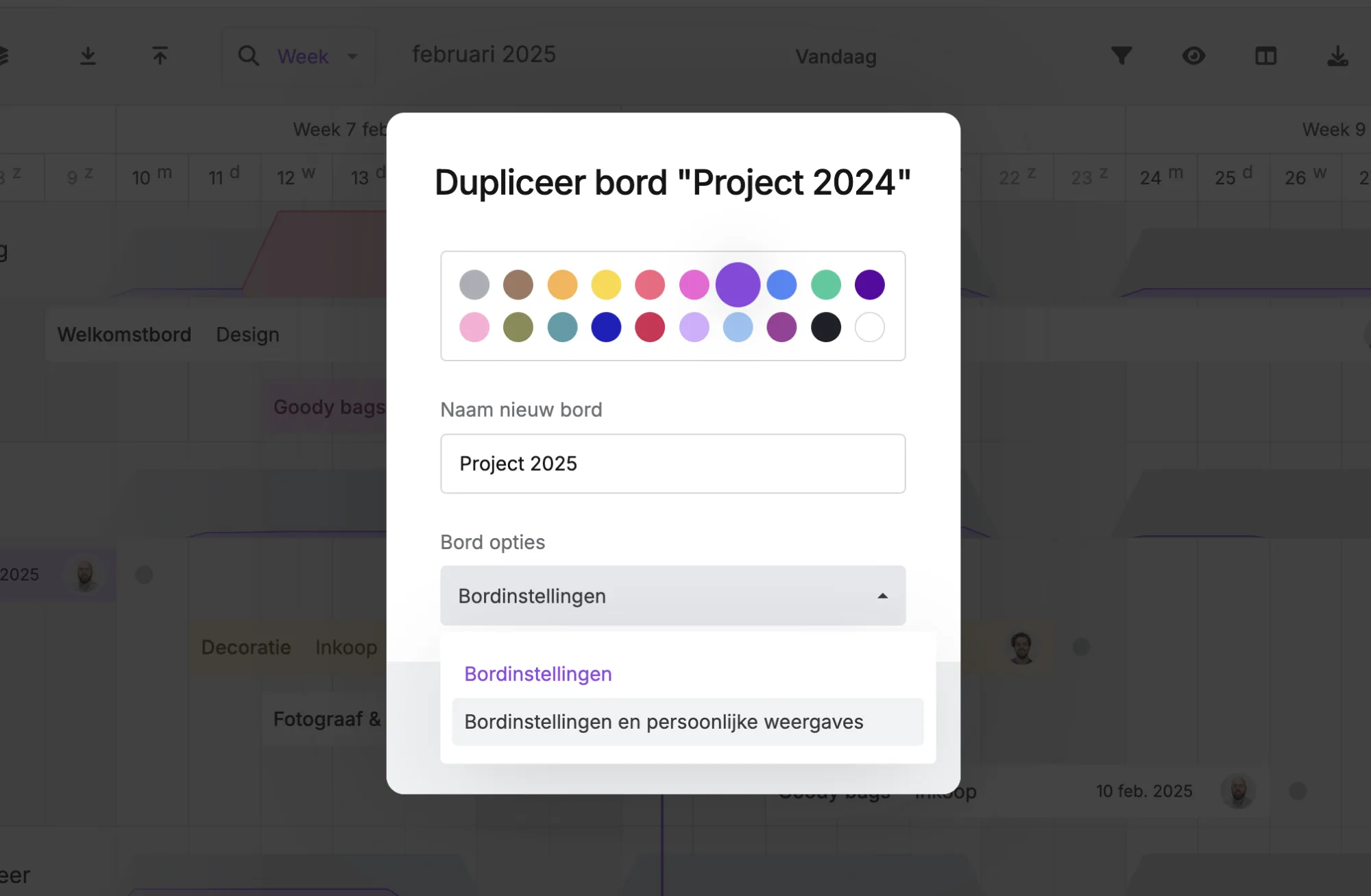
Want to quickly create a copy of an existing planning board? Now you can with the duplicate function! All board settings (such as stages, statuses, etc.) will be copied to your duplicate. You can also choose whether to include your personal views in the duplicate.
⚠︎ Note: This feature is available from the Professional plan.
Why is this so useful?
Here are some examples of when duplicating planning boards comes in handy—but of course, there are many more possibilities!
🏗 Project-Based Work
Do you work with projects and create a new planning board for each one? That’s no longer necessary—simply duplicate an existing board and fill it with new tasks right away.
💡 Test Planning Board
Are you the mastermind behind your vPlan setup, constantly optimising the planning process? Sometimes, it's best not to run tests in your current environment—especially when setting up new automations. Simply duplicate your planning board and use it as a test environment.
P.S. This is also useful when you're new to vPlan and want to test things during implementation.
📅 Annual Planning
If you work in the events industry and organise the same events each year, make things easier for yourself! Copy last year's schedule (planning board) and start immediately with a fresh, structured plan.
That way, you won’t have to start from scratch every time, saving valuable time. Smart and efficient! 💡
🔑 Roles Per Planning Board
Want to restrict access to a planning board? No problem! You can now assign a role to each user:
- Can manage – full access to modify everything.
- Can organise – can manage tasks and planning but cannot change settings.
- Can register – can add registrations but cannot make changes.
- Can comment – can only post comments.
⚠︎ Note: 'Admins' are excluded from this restriction. This feature is available from the Professional plan.
How to set this up:
Go to the board settings of your planning board and navigate to "Who has access to this board." Choose "Restricted" and add the users who should have access, assigning them the appropriate permissions.
This way, you stay in control of who can do what within your planning board. Handy, right? 🎯
📌 New Menu with Board Actions
We’ve added a convenient board actions menu! This allows you to easily:
✅ Open board settings
✅ Add planning boards to your workspace
✅ Duplicate planning boards
✅ Archive and delete planning boards
Everything you need, neatly in one place! 🔥
🚀 Get started with these new features and experience the convenience! Got any questions? Contact us at support@vplan.com.
Happy planning! 🎉
Try it in your own vPlan
Every new feature is in the free trial.



