


Why switch to a digital planning board?
You might think: "Our physical planning board works well, why should we change?" However, many organisations face limitations. These limitations hinder growth and efficiency. A digital planning board solves these problems by focusing on flexibility and collaboration.
The idea of changing everything can be daunting. This is especially true if you’re used to your ‘planning habits’. But the question is: how well does your current system actually work in the long term?
Main reasons to go digital:
1. Limited accessibility
A physical planning board is only visible in the office; colleagues at other locations cannot see any updates. A digital tool is accessible anywhere via the internet, including for external partners.
2. Manual adjustments
Shifting tasks or crossing out appointments takes time and increases the risk of errors. Digital boards work in real time and send automatic notifications.
3. Lack of automation
Repeating tasks and reminders remain manual work, causing a loss in productivity. With a digital planning board, these processes are automated.
4. Less collaboration
Only one person can work on a physical planning board at a time. Digital planning tools allow multiple users to edit tasks simultaneously.
With digital planning such as vPlan, you can view your planning from anywhere. You can automatically assign tasks and collaborate with your team.
What are the benefits of a digital planning board?
A digital planning tool offers more than just a replacement for your board. Here are the main benefits:
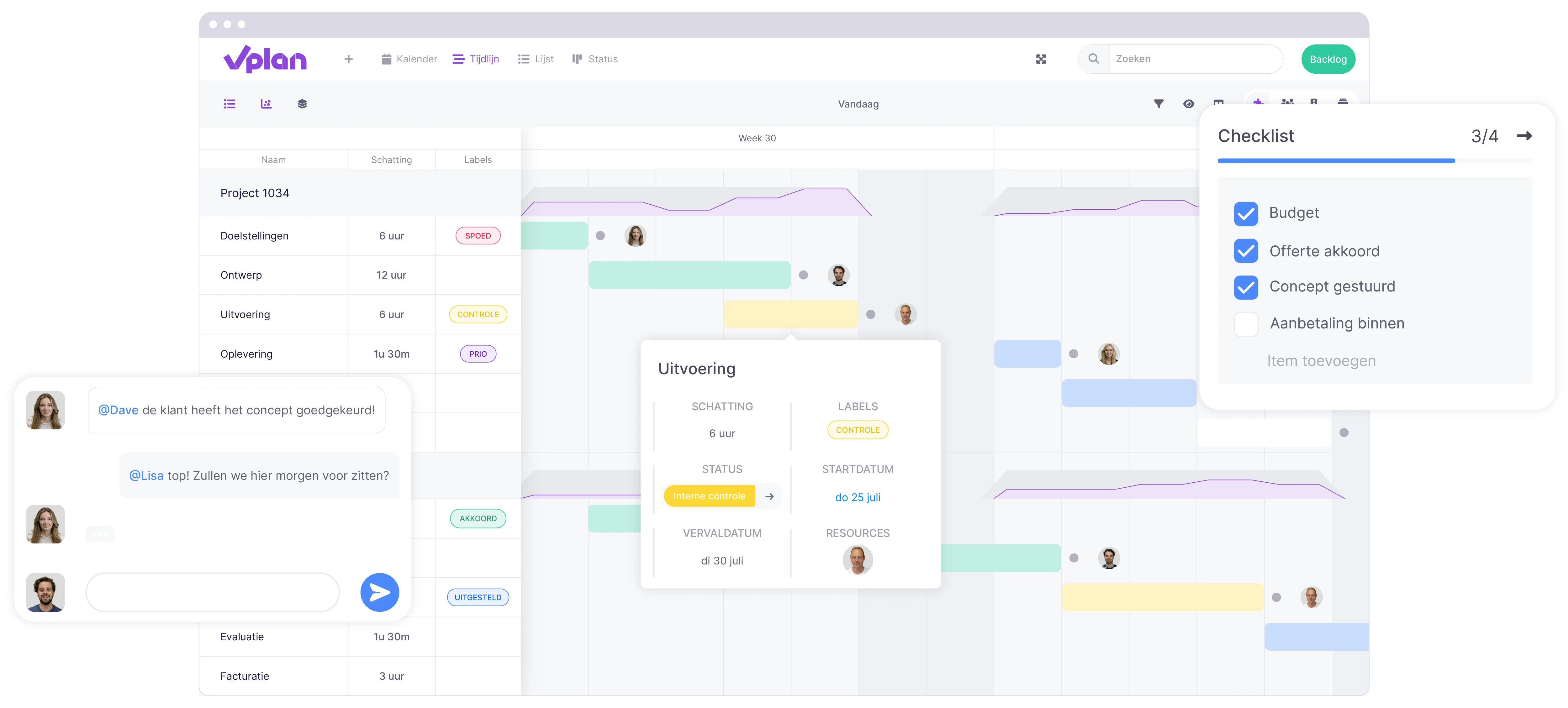
1. Overview and structure
You can easily move tasks using drag-and-drop. You can filter by priority and visualise deadlines. This helps you maintain a clear overview, even with complex planning.
2. Real-time updates and collaboration
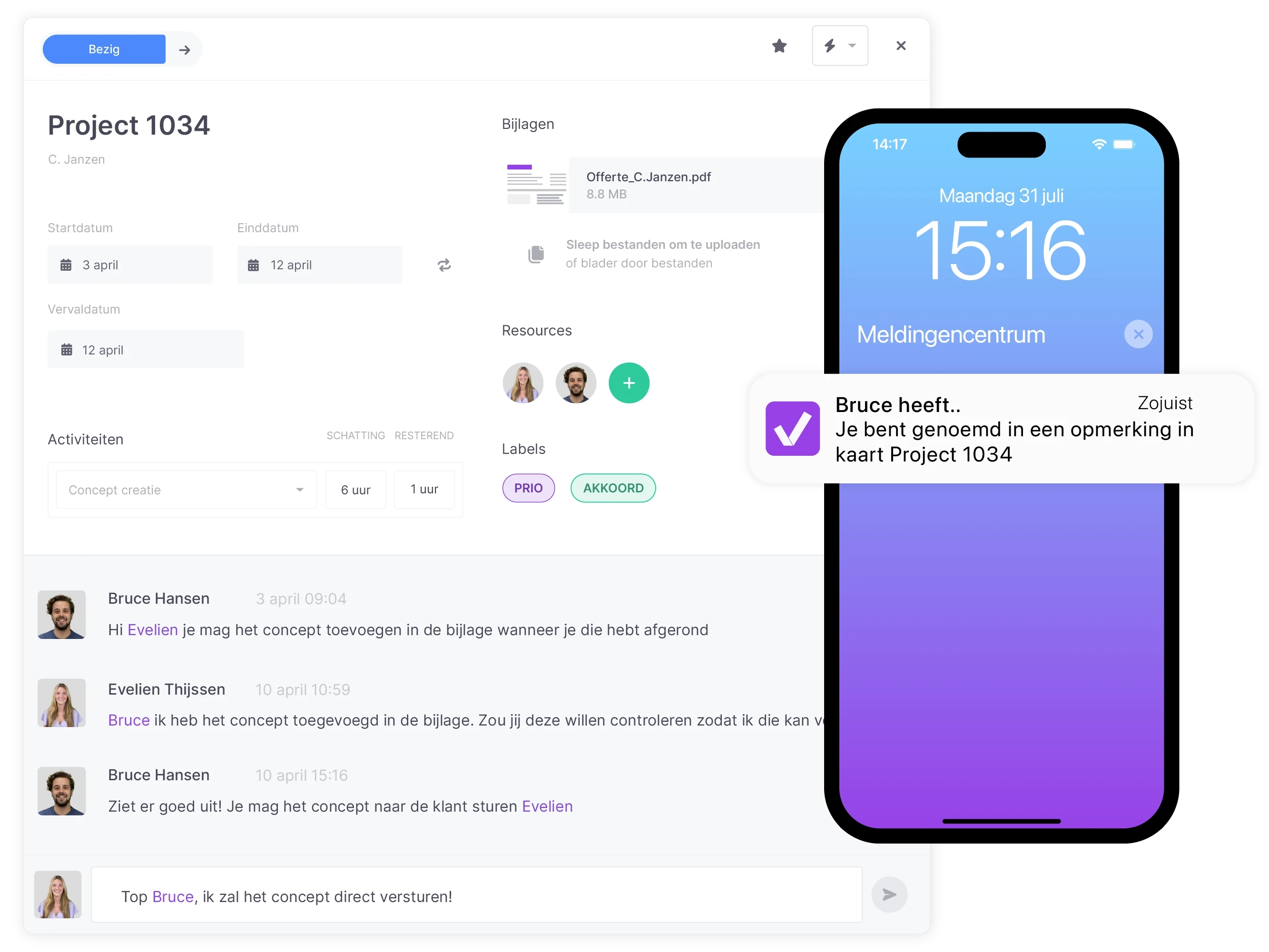
Everyone instantly sees the latest changes and can work simultaneously. You avoid miscommunication and speed up the workflow. Read more about collaborating in vPlan here.
3. Flexibility and scalability
Add users, adjust workflows and scale the planning without losing overview. You can personalise views and share them with your team.
4. Integrations with other systems
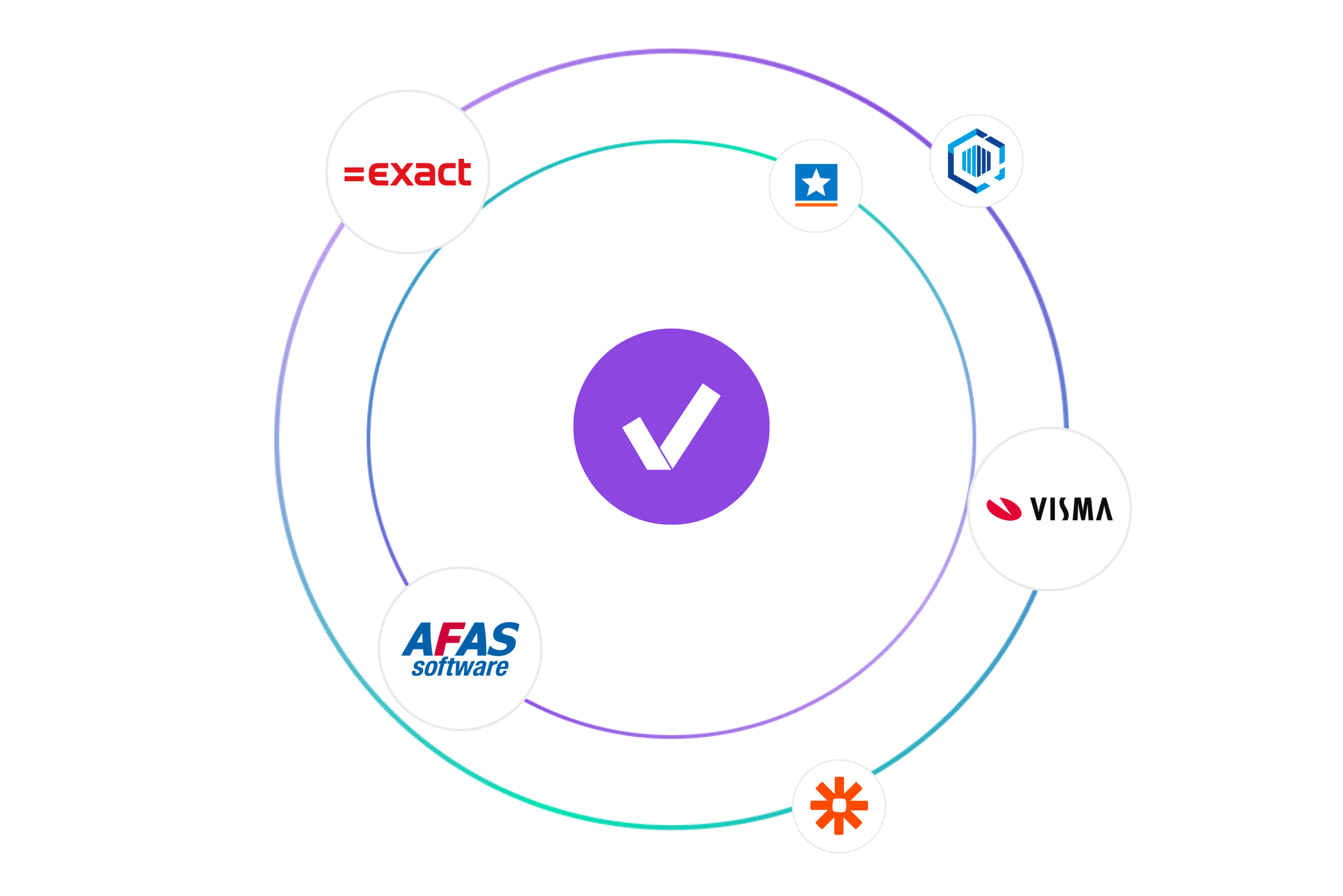
Many digital planning boards can be linked to other software, such as ERP systems and accounting programmes. This ensures a smooth workflow and prevents duplicate work. As a result, you save time and minimise errors.
5. Time-saving and automation
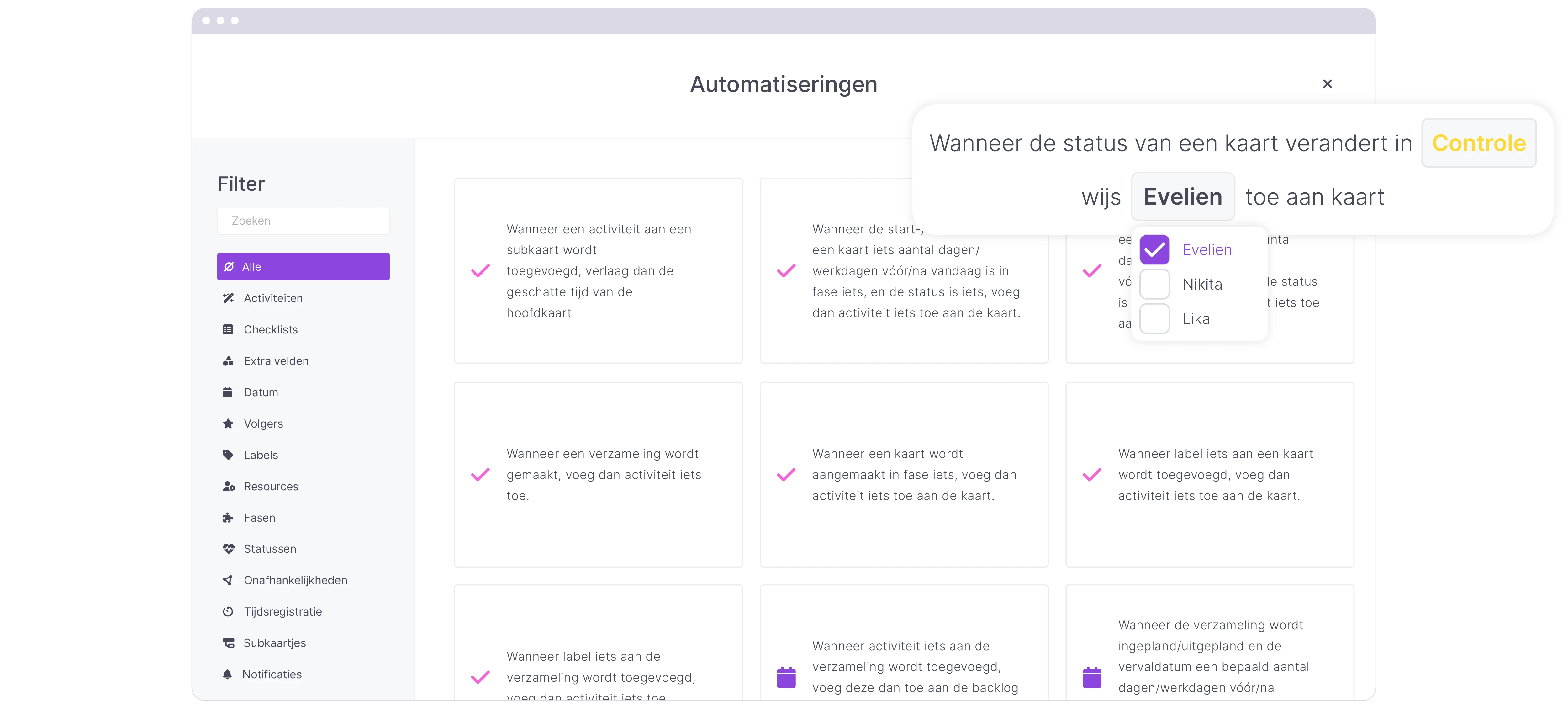
A digital planning board automates many manual tasks. Think of recurring tasks that take place daily, weekly or monthly. Or sending reminders when a task is not yet completed. This not only saves time but also increases efficiency within your organisation.
Comparison: physical vs. digital planning board
Accessibility
A physical planning board is location-bound. Colleagues in other departments cannot see the planning and have to call or email to get updates. A digital planning board is always and everywhere available via the internet. Employees and external partners can instantly consult the most up-to-date planning.
Updates
On a board, changes must be made by hand. You move cards, cross out tasks and risk errors or outdated information.
Digital boards provide real-time updates. Changes are immediately visible to all users. Reminders are also sent automatically.
Collaboration
With a physical board, only one person can work at a time. Digital tools are designed for collaboration: team members can edit simultaneously, leave comments and share files.
Integrations
A board stands alone; you have to manually update all information in other systems. Digital planning boards can integrate with ERP or CRM systems and other software so that data is synchronised automatically.
Automation
A physical planning board offers no automation. Digital software automates tasks, repetitions and reminders, giving you more time for important work.
Excel vs. digital planning board
Many companies start planning in Excel. Although spreadsheets are popular and flexible, teams often face the same problems. They deal with version control, errors, no real-time updates and no automation.
A digital planning board combines the clarity of Excel with automation and collaboration. Tasks are synchronised in real time. You don’t need to manage multiple versions. And you can easily integrate with other systems.
What to consider when choosing digital planning software?
1. User-friendliness
A digital planning board must be easy to use for all employees. Choose a user-friendly interface that is quick to learn. This way, your team can get started quickly without extensive training.
- Is the system intuitive enough for my team, or does it require extensive training?
- How quickly can new employees start using it?
- Can I make adjustments easily without technical knowledge?
2. Features
Every business has unique needs. Make sure the digital planning board includes the features your organisation requires. Think of task management, notifications, time tracking and integrations with other software.
- Do the available features match our work processes?
- Can we customise the planning board to suit our specific needs?
- Does the system offer integrations with the tools we already use?
3. Costs and licences
Compare the pricing models of different providers. Some digital planning boards operate on monthly subscriptions, while others offer a one-time purchase. Choose a solution that fits your budget and growth plans.
- Does the pricing model fit our long-term budget?
- Are there any additional costs within the subscription?
- Which solution offers the best value for money?
4. Support and updates
Good support is essential when implementing a digital planning board. Check whether the provider offers support and whether the software is updated regularly.
- What support is available for questions or issues?
- How often is the software updated with new features and improvements?
- Are there online articles or training sessions available for my team?
Customer case: digitalisation in practice
Brandwise
Brandwise, specialised in field marketing & sales, previously used Excel. They regularly lost track of ongoing projects. With vPlan, they have:
- Real-time insight into projects - clients and colleagues can see current statuses, leading to more efficient working.
- Improved customer service - clients have access to their own project planning and ask fewer questions about progress.
- Clarity and user-friendliness - vPlan is clear and customisable, with many options to configure the planning precisely to your needs.
This led to significant time savings and better oversight of their projects.
Architecture firm Leysen
Architecture firm Leysen noticed that their growth was causing chaos in their long-term planning. By using vPlan, they:
- Planning overview - they can clearly see which projects are ongoing and when new ones can be added.
- Improved communication with clients - they can inform clients realistically about planning and commitments.
- Insight into capacity - unpredictable work makes planning difficult; with vPlan, they can monitor capacity.
- Ease of use and flexibility - Roxanne Leysen says: "The growth of our projects caused chaos, but with vPlan we’ve got it firmly back under control."
Best practices for implementation
Want to successfully implement a digital planning board? These tips will help:
- Start small - begin with one team or process. This allows you to learn the features and helps colleagues get used to it.
- Train your team - offer a short training session or share videos and tutorials. It’s important that everyone knows how the tool works.
- Use labels and colours - create clear labels for priority, status and task type. This helps maintain a clear overview.
- Set up automations - make use of recurring tasks, automatic reminders and notifications to reduce administrative actions.
- Evaluate and scale up - gather feedback and gradually expand usage to more teams or processes.
Take the step towards more efficient planning
A digital planning board offers significant advantages over a physical board or Excel sheet. You gain overview, collaborate more efficiently and can automate processes. When choosing a software solution, consider user-friendliness, features, costs and support.
Would you like to experience for yourself what a digital planning board can mean for your organisation? Discover how vPlan makes your planning clearer and more efficient!
Frequently asked questions
What exactly is a digital planning board?
A digital planning board is an online system in which you manage planning, tasks, projects and resources. You collaborate in real time and automate processes.
Is a digital planning board suitable for small businesses?
Yes, small teams also benefit from the overview and automation. Moreover, you can easily scale by adding more features or users later on.
What does a digital planning board cost on average?
Prices vary by provider and licensing model. Some charge per user per month, others offer a fixed fee. Consider value for money and the option to scale up.
How do I switch from Excel to a digital planning board?
Start by importing your current planning, train your team, and define the desired structure together. Good software provides support and guidance during implementation.
Does a digital planning board work offline?
Most solutions work online. Some offer limited offline functionalities, but full collaboration requires an internet connection.

Work at vPlan
We are looking for new colleagues.


